Every few weeks I see a variation of “Is Win32 Disk Imager safe to download? Does it have malware? Can I trust it?” pop up in Reddit threads and Pi forums. Fair questions. It’s an unsigned .exe that requires admin privileges to do raw disk writes, and half the download sites hosting it look sketchy. Both of those are real concerns. The good news is that Win32 Disk Imager itself is genuinely safe and has been for 15 years. The nuance is about where you download it from and how Windows interacts with unsigned software in 2026.
This article is the no-bullshit security review. What Win32 Disk Imager is from a security perspective, why it’s unsigned, what the actual risks are, and how to reduce them. Plus the specific scenarios where Windows Defender or corporate policies flag the app, and what you should actually worry about vs what’s paranoia.
TL;DR: Win32 Disk Imager is safe. Open-source (GPL v2), been audited publicly since 2009, widely trusted in Pi/maker community, no known vulnerabilities. Risks: (1) downloading from sketchy mirrors that bundle adware, (2) accidentally writing to the wrong drive, (3) running unsigned software with admin privilege. Mitigations: download from official sources only, verify SHA256, triple-check drive selection, add to Windows Security exclusions permanently.
Why Win32 Disk Imager Triggers Warnings
Before getting into safety specifics, let’s explain why people worry:
Unsigned executable. Win32 Disk Imager’s .exe isn’t code-signed by a commercial certificate authority. Windows SmartScreen flags unsigned apps with “Windows protected your PC” warnings. Modern Windows users are trained to fear unsigned apps.
Admin privileges required. Raw disk writing requires admin. An app with admin privileges can, in principle, do anything to your system. Trust is higher-stakes than for a regular user-mode app.
SourceForge reputation. SourceForge has historically been associated with bundled adware and sketchy downloads. Many unfairly extend that skepticism to legitimate projects hosted there.
Mirror sites exist. Random “download Win32 Disk Imager free” sites that bundle the installer with adware installers. These are not the real project; they piggyback on the name.
Each of these is a legitimate reason to be cautious. Each has a real answer.
The Project’s Actual Security Credentials
Facts about Win32 Disk Imager from a security perspective:
Open-source. Source code is public on SourceForge. Anyone can read every line and verify what the app does. Security researchers have looked at it over the years. Nothing suspicious has been found.
Established history. Initial release 2009. Millions of downloads. Used by the Raspberry Pi Foundation historically before they built their own tool. Used by maker community, educational institutions, enterprise IT. 17-year track record with zero security incidents.
Qt-based C++. The underlying framework (Qt) is one of the most widely-audited code bases in the open-source world. Used by KDE, VLC, TeamSpeak, Wireshark, and thousands of other projects. Qt’s security posture is strong.
Minimal attack surface. Win32 Disk Imager does one thing: raw block copy between files and removable drives. Few inputs, few outputs, minimal network activity (none, in normal operation), minimal dependencies. Small code = fewer places for bugs.
No telemetry. No phone-home, no analytics, no user tracking. The app never connects to the internet (no need to). This is unusual for 2026 software and is a legitimate privacy positive.
Why It’s Not Digitally Signed
Common question, understandable concern. Signing means a commercial Certificate Authority (CA) verifies that the software is from a specific legal entity.
Win32 Disk Imager isn’t signed because:
Certificate cost. Code signing certificates cost $300-500/year. For a volunteer-maintained open-source project, that’s real money without obvious benefit.
EV certificates are worse. Extended Validation (EV) certificates bypass SmartScreen faster but require hardware tokens and cost $500+ per year. Barrier-to-entry is even higher for an open-source project.
Maintainer anonymity. Some open-source maintainers prefer to stay anonymous or use organizational names. Traditional CA signing requires identity verification.
Historical legacy. Win32 Disk Imager predates widespread SmartScreen by many years. When it was built, unsigned was normal for open-source.
Lack of signing is a legitimate signal but doesn’t mean the software is malicious. Plenty of trusted open-source apps are unsigned (Notepad++ was for years; Firefox was signed by Mozilla’s own CA; plenty of Linux utilities ported to Windows are unsigned).
Actual Risks When Running Win32 Disk Imager
Honest accounting of real risks:
Risk 1: writing to the wrong drive. Biggest practical risk. If you pick your C: drive (your Windows install) or an external drive with important data in the Device dropdown, Write destroys that drive’s contents. No undo.
Mitigation: Win32 Disk Imager by default only shows removable drives (USB, SD) in the Device dropdown. But edge cases (VeraCrypt system encryption, weird SATA drivers) can make internal drives appear. Triple-check the drive letter matches the small USB/SD you intend.
Risk 2: running an admin-elevated app that has a bug. If Win32 Disk Imager had a buffer overflow or similar bug, attackers could in theory exploit it. Possible but has never been reported. The app’s small codebase minimizes this risk.
Mitigation: keep your Windows patched so kernel/runtime mitigations (ASLR, DEP) make exploitation difficult even if bugs exist.
Risk 3: downloading a tampered installer. Real risk. Third-party “download” sites that bundle adware or modified installers. Not Win32 Disk Imager’s fault; a general ecosystem problem.
Mitigation: only download from sourceforge.net/projects/win32diskimager/ or win32diskimager.org. Verify SHA256 hash against the project’s published hash. See our hash verification guide.
Risk 4: exposing sensitive data in IMG backups. IMG files preserve everything including SSH keys, WiFi passwords, saved passwords in browser data, configuration files with secrets. If your IMG falls into unauthorized hands, so does everything on your Pi.
Mitigation: encrypt IMGs (7-Zip AES-256) before storing on cloud or sharing. Never email an IMG file.
Safe Download Sources
Only trust these:
Official: win32diskimager.org or sourceforge.net/projects/win32diskimager/. These are the project’s authorized download locations.
GitHub mirrors (carefully): some community forks exist on GitHub. Only use ones with a clear connection to the original project. Random forks by unknown users are suspicious.
Linux package managers: Win32 Disk Imager doesn’t run on Linux, but some Linux distros have “win32diskimager” as a Wine-wrapper package. Repository-installed versions are vetted.
Avoid:
- Generic “download” sites (softpedia, download.com, filehippo, etc.). These wrap installers with adware.
- Random mirrors found via Google. Verify URL before downloading.
- Torrent downloads. You can’t verify what’s in them unless you hash-check.
- Pre-installed on “IT toolkits” USBs from eBay. Could be modified.
Verify after download: compute SHA256 of your downloaded file, compare to the hash published on the official site. Match = safe. Mismatch = re-download from official source.
Handling SmartScreen Warnings
First time running Win32 Disk Imager on Windows 11, you see: “Windows protected your PC” with option to “Run anyway.” This is because:
- App is unsigned.
- Insufficient reputation score (SmartScreen’s algorithm counts unique users running the app; new/rare apps trigger warnings).
For Win32 Disk Imager 1.0.0 specifically, SmartScreen warnings are false positives. Click “More info” → “Run anyway.”
After a few launches, SmartScreen typically stops warning (reputation builds up on your machine).
For permanent dismissal: add DiskImager.exe to Windows Defender exclusions. See our Error 5 fix guide for the exclusion procedure.
VirusTotal Analysis
VirusTotal scans a file against 70+ antivirus engines. Win32 Disk Imager 1.0.0 from the official source typically shows:
- 0-2 antivirus engines flagging as suspicious. Usually heuristic false positives from less-trustworthy engines (not Defender, Kaspersky, Bitdefender).
- 65+ engines marking as clean. Including all major mainstream AVs.
A 1-2 detection rate for open-source disk-write tools is normal. Same pattern for dd-for-Windows, HDD Raw Copy Tool, Rufus (on old builds), USBImager. It’s an AV-industry problem with raw-disk tools looking similar to ransomware.
If you see 10+ detections, that’s a tampered file. Re-download from official source.
Operating Under Admin Privileges: The Principle
Running Win32 Disk Imager as admin gives it full system access during its run. Theoretical concerns:
- Could read/write any file (if exploited).
- Could install services, modify the registry.
- Could access sensitive hardware (in theory).
Practical reality: the app doesn’t do these things (source code verifiable). It reads/writes to the specific drive you selected via its UI. That’s it.
For paranoid users: run Win32 Disk Imager inside a VM (VirtualBox, Hyper-V). VM limits the blast radius if something weird happens. But this is overkill for most users.
Common Misconceptions
“Win32 Disk Imager is malware because my AV flagged it.” Heuristic false positive. Check VirusTotal; most engines say clean. Add to AV exclusions and carry on.
“SourceForge is sketchy so Win32 Disk Imager is sketchy.” SourceForge had its problems years ago but has cleaned up. Win32 Disk Imager’s SourceForge page is legitimate. The project also has a proper homepage (win32diskimager.org).
“It wants admin so it’s suspicious.” Admin is required for raw disk writes. All imaging tools need it. This is inherent to the task, not suspicious.
“I read that it contains adware.” Only if you downloaded from a third-party download site that added adware. The official installer has no adware.
“It can encrypt my drive and demand ransom.” It only writes what you point it at. Doesn’t have ransomware behavior. Doesn’t encrypt data. Doesn’t phone home.
Corporate / Managed PC Considerations
On a work laptop or school PC, IT department may block Win32 Disk Imager because:
- App is unsigned (flagged by enterprise security tools).
- Admin privilege elevation is restricted by Group Policy.
- Removable storage writes blocked for DLP (data loss prevention).
Don’t fight this. Explain to IT why you need it (Pi project, device imaging, etc.) and they’ll either whitelist it or set up a separate lab PC for the work. Trying to bypass corporate restrictions gets you in trouble.
For home PCs with parental controls: similar. The adult account will have fewer restrictions.
A Note on Forks and Unofficial Builds
Various community forks exist on GitHub. Examples:
- dimeo/Win32DiskImager (active fork with minor fixes).
- JollyJumper/Win32DiskImager (semi-abandoned community fork).
- Various personal forks with specific patches.
Forks are legitimate if they’re based on the original source. But they’re less widely vetted than the official version. Prefer the official 1.0.0 unless you have a specific reason to use a fork.
Red flags in forks: no README, no build instructions, only binary releases, no source link. Legitimate forks always have source access.
What Win32 Disk Imager Cannot Do (Reassurance)
For paranoid users, explicitly listing what the app doesn’t do:
- Doesn’t access the internet (no network code in source).
- Doesn’t collect or transmit data.
- Doesn’t modify files outside the source IMG and the destination drive.
- Doesn’t install services, drivers, or persistent processes.
- Doesn’t modify the registry beyond basic app preferences.
- Doesn’t run after you close the window.
- Doesn’t include any advertising or promotional content.
- Doesn’t update itself (requires manual update).
This is verifiable by reading the source code (public on SourceForge) or by running the app with Process Monitor to see exactly what it touches. No surprises.
Monitoring Win32 Disk Imager in Real-Time
If you want to observe exactly what the app does:
- Download Process Monitor (Microsoft Sysinternals, free).
- Launch ProcMon, set filter to Process Name = DiskImager.exe.
- Launch Win32 Disk Imager. Do a Read or Write operation.
- ProcMon logs every file, registry, and network operation.
- Review: should only see file reads of the IMG source, raw drive writes to the destination, standard Qt/Windows framework calls. No network, no surprise registry edits.
If you see suspicious activity (HTTPS requests to unknown servers, writes to weird locations), the binary may be tampered. Use the official source.
Historical Security Incidents
In 17 years, Win32 Disk Imager has had:
- Zero credible security disclosures about the app itself.
- Zero verified malware reports in the official installer.
- A few false-positive AV reports (fixed by working with AV vendors).
- Continual community reports of third-party mirror sites bundling adware (not the project’s fault).
Compare to: most 2026 Windows apps (especially commercial ones) have had CVEs, data breaches, or questionable telemetry. Win32 Disk Imager’s clean record is notable.
Safety Checklist
Before running Win32 Disk Imager for the first time on a new PC:
- Download only from win32diskimager.org or SourceForge official page.
- Verify SHA256 hash of the downloaded installer against published hash.
- Run the installer, accept standard UAC prompt.
- Add DiskImager.exe to Windows Defender Exclusions (Process exclusion).
- Add DiskImager.exe to Controlled Folder Access allowed apps.
- Set Compatibility → Run as administrator on the .exe Properties.
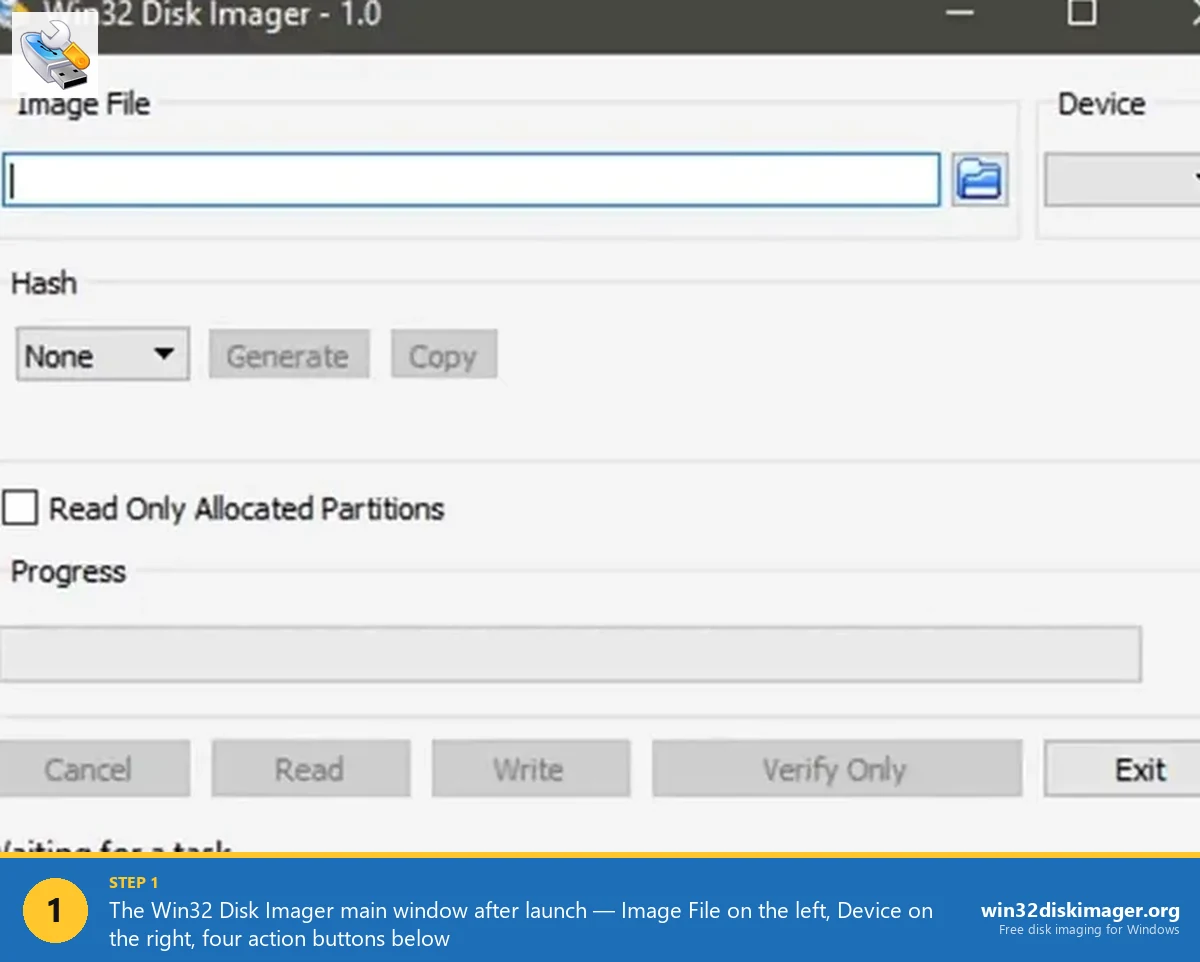
- Launch, verify the main window title shows “Administrator: Win32 Disk Imager – 1.0”.
- When using: triple-check the Device dropdown matches your intended drive.
Ten minutes of setup, then you’re secure for ongoing use.
FAQ
Should I trust Win32 Disk Imager with admin privileges?
Yes, given the 17-year clean track record and verifiable open source. The risk of running this specific app as admin is much lower than the risk of running random downloads as admin.
Is my antivirus flagging it a legitimate warning?
Likely a false positive. Check the flagged file’s SHA256 on VirusTotal. Typically 1-2 engines of 70+ flag Win32 Disk Imager heuristically. If majority flag it, the file was tampered; re-download from official source.
Does Win32 Disk Imager work on Windows Sandbox for extra safety?
Yes, you can install and run it inside Windows Sandbox. But Sandbox doesn’t pass through USB devices by default, so you can’t actually flash anything from Sandbox. Not useful for real work; fine for code/behavior inspection.
Can the IMG files themselves contain malware?
Absolutely yes. An IMG is raw bytes; it can contain any executable code including malware. This is a risk with any downloaded OS image or IMG file, not specific to Win32 Disk Imager. Always download OS images from official sources and verify hashes.
Is there a safer alternative?
“Safer” is subjective. Rufus is signed and has a commercial-looking presence. Etcher has balena.io corporate backing. Pi Imager is from the Raspberry Pi Foundation. All are fine. Win32 Disk Imager’s unsigned + volunteer-maintained status is its own thing, not necessarily less safe.
Do I need to update Win32 Disk Imager regularly for security?
Not urgently. The 1.0.0 release is stable and has no known security issues. Minor updates (0.9.x → 1.0.0) were mostly compatibility, not security. If a security issue is ever announced, update then.
Should I run Win32 Disk Imager in a VM?
Overkill for most users. VMs can’t pass USB devices cleanly without extra setup (VirtualBox Extension Pack, Hyper-V integration). Unless you’re a security researcher, running on bare metal with proper download verification is fine.
How do I report a suspected security issue?
SourceForge tickets at sourceforge.net/p/win32diskimager/tickets/. For serious vulnerabilities (not public), contact the project maintainer directly via the SourceForge profile.
Can Win32 Disk Imager be used to steal my data?
Only by making a backup IMG of a drive that has your data and then copying that IMG somewhere (network, cloud). Someone would need physical access to your PC + admin privileges. It’s not remote-exploitable in any known way.
What about keyloggers pretending to be Win32 Disk Imager?
If you download from official sources and verify hashes, you won’t get keyloggers. If you download random .exe files from sketchy sites and run them as admin, you may well get a keylogger. The risk is the source, not Win32 Disk Imager itself.
Is the source code readable?
Yes. C++ on GitHub/SourceForge. ~5000 lines of Qt-based code. A knowledgeable developer can review the whole thing in a few hours. Every operation the app does is in the source.
Can I compile it myself instead of using the official binary?
Yes. Qt + CMake + Visual Studio or MinGW. Documented in the project’s README. For maximum paranoia, compile-from-source eliminates the need to trust anyone else’s binary.
Wrapping Up
Win32 Disk Imager is genuinely safe. 17 years of clean track record, open-source verifiable code, minimal attack surface, no telemetry. The apparent risks (unsigned, admin-required, SourceForge hosted) are ecosystem-level concerns that don’t reflect actual security problems with the app. Download from official sources, verify hashes, add to Defender exclusions, and carry on. For the specific ways Windows interacts with Win32 Disk Imager, see Error 5 fix guide, run as admin guide, and the won’t open guide.
Related Guides
Pair this guide with the rest of the Win32 Disk Imager knowledge base. These cover the adjacent workflows you’ll hit when working with disk images, bootable USBs, and Windows partition management.
- Win32 Disk Imager Error 5: Access Is Denied — 9 Working Fixes — The full troubleshooting tree for Error 5 on Win 10/11 — Controlled Folder Access, antivirus conflicts, SD lock switches, Safe Mode, and Group Policy.
- How to Run Win32 Disk Imager as Administrator (Every Method) — Six methods to elevate Win32 Disk Imager — one-off right-click, permanent Compatibility tab, taskbar pin, hotkey, scripted, and Task Scheduler bypass.
- How to Use Win32 Disk Imager — Complete Beginner Guide — The full reference for the Win32 Disk Imager tool itself — install, UI walkthrough, and common workflows.
- Win32 Disk Imager Won’t Open on Windows 11 — Compatibility Fix Guide — Fix silent launch failures, splash-and-disappear, and the Google Drive / Controlled Folder Access conflicts that stop Win32DI from opening on Win 11.